Linear triage for iPhone
The fastest way to triage Linear tickets on mobile.
Review an issue, update what matters, and move to the next. Right from your iPhone.
How it works
-
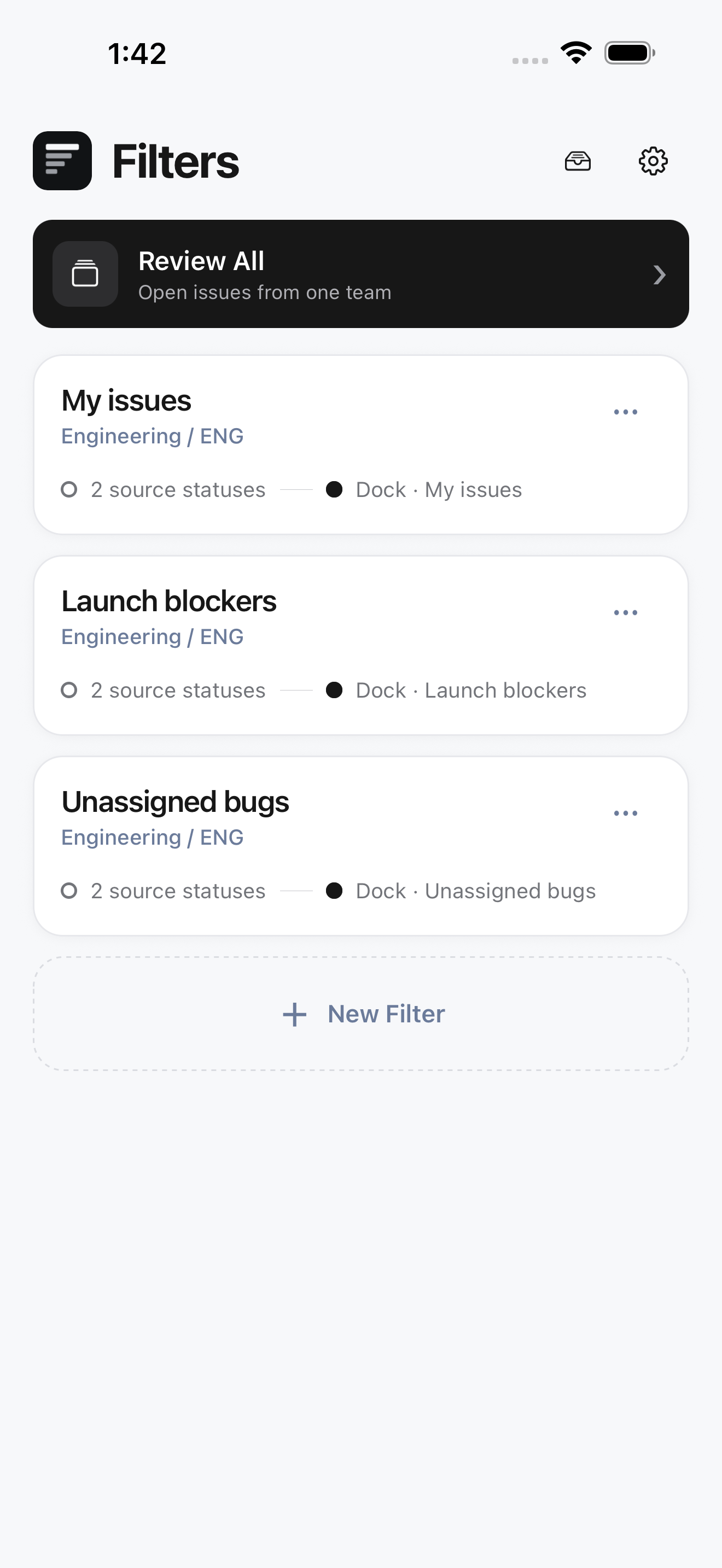
01 / Queue
Choose what to review.
Open a saved filter, or work through all open issues for your team.
-
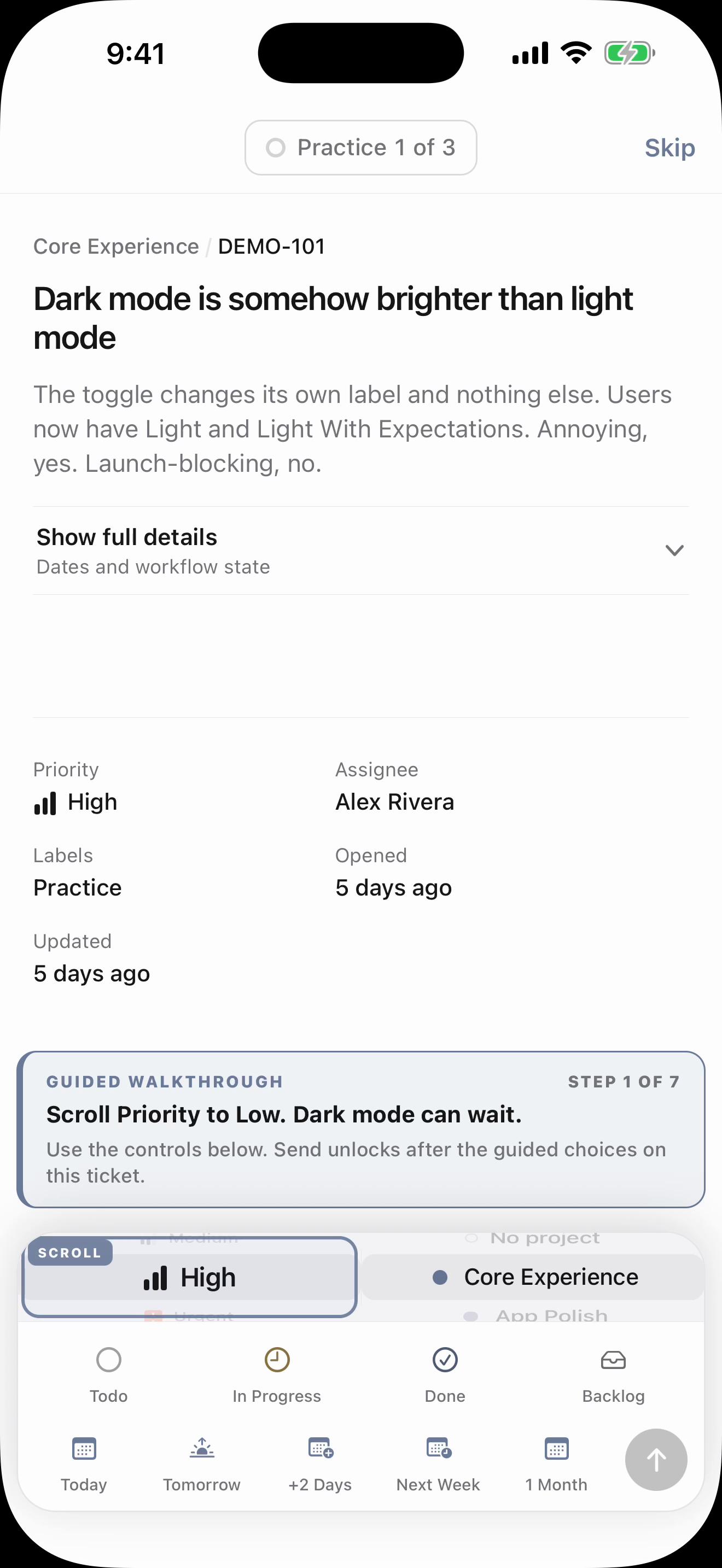
02 / Decide
Update the details that matter.
Set the project, priority, status, and due date without leaving the issue.
-
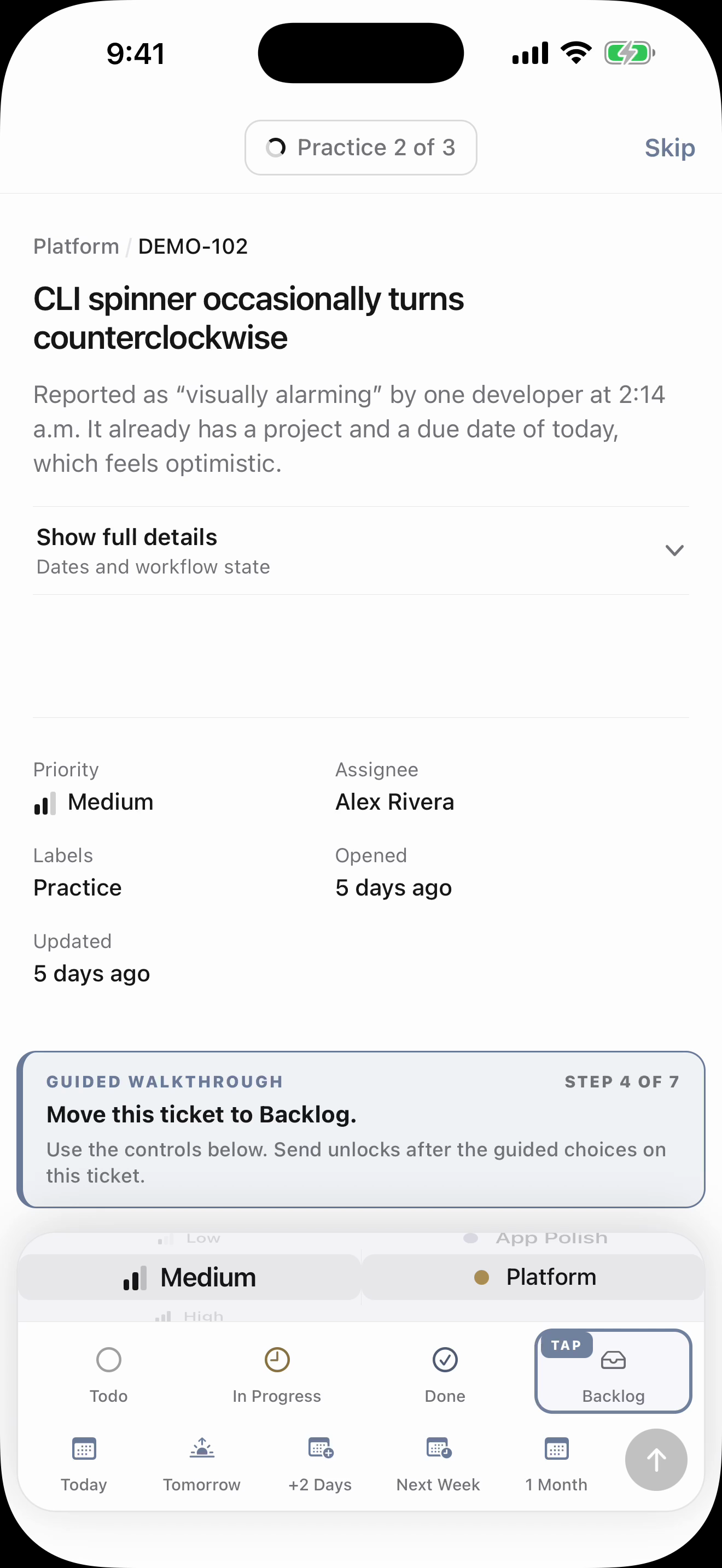
03 / Advance
Move on to the next issue.
Save your changes and keep reviewing. Made a mistake? Undo your last update.
-
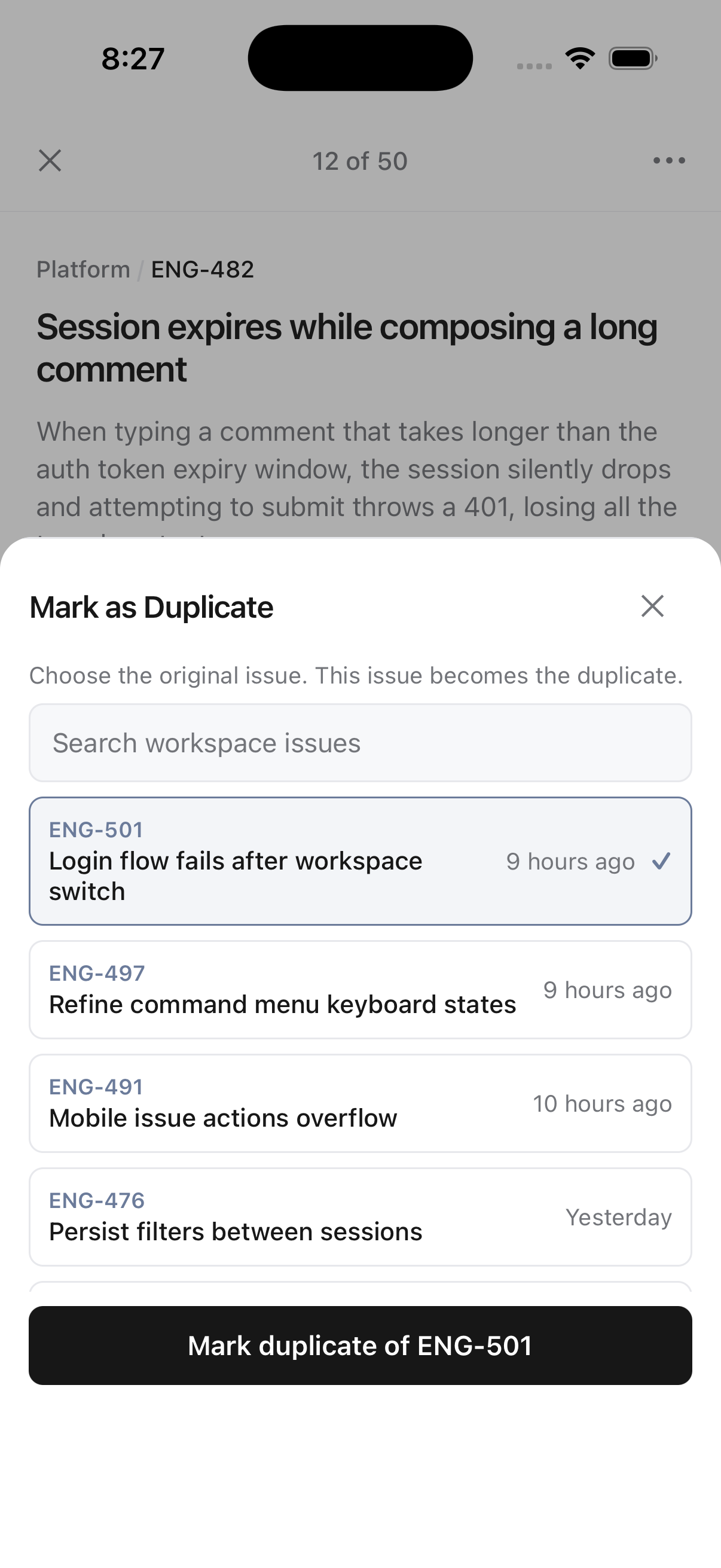
04 / Duplicate
Already reported? Mark it as a duplicate.
Find the original issue without leaving your queue.
ELI5 mode
Complex ticket.
Clear explanation.
ELI5 simplifies the title and description without changing the original issue, making technical tickets quicker to understand.
Powered by on-device intelligence.
The explanation is generated using Apple’s on-device model on your iPhone. Your ticket content is not sent to Stashd or a cloud AI provider for explanation.
Your original Linear ticket stays unchanged.
Requires iOS 26 and Apple Intelligence
Requires a compatible iPhone running iOS 26 or later, with Apple Intelligence set up and turned on. Availability varies by language and region.
See supported iPhones on Apple’s website A direct connection to Linear
Securely Connect
- Sign in with Linear using OAuth, or connect with a personal API key.
- Your OAuth tokens or API key stay in your iPhone’s Keychain.
- Requests go directly to Linear, never through a Stashd server.

Stashd Triage for iPhone
Prioritize fast. Keep moving.
Available on the App Store.